 DotMD
DotMD
Comment on Markdownright on the passage.
Leave a note on a sentence, a paragraph or a table row of a rendered .md file. This isn't hiding text with <!-- -->: a comment stays tied to its passage, and your Markdown stays clean.
macOS 14 or later. Reading is free; DotMD Pro has a 3-day free trial.
Quick answer
Select text on the rendered page or in the editor and press ⌥⌘M. The passage is marked yellow, and the comment stays tied to its lines. Comments are kept by DotMD, not in the file, so your Markdown stays clean. Send them to an agent, or keep them as notes to yourself.
How to leave a comment on a Markdown file
A comment is a note on a passage: a sentence, a paragraph, a table row or a list item. It's where every review starts, and it works with no agent at all.
-
Select the passage
Select text on the rendered page, or in the editor if you're editing.
-
Start the comment
Click Comment next to the selection, press ⌥⌘M, or choose Edit → Add Comment….
-
Write what should change
Type your note and press ⌘↩. The passage turns yellow on the page. Leave as many comments as you like before you hand them to anyone.
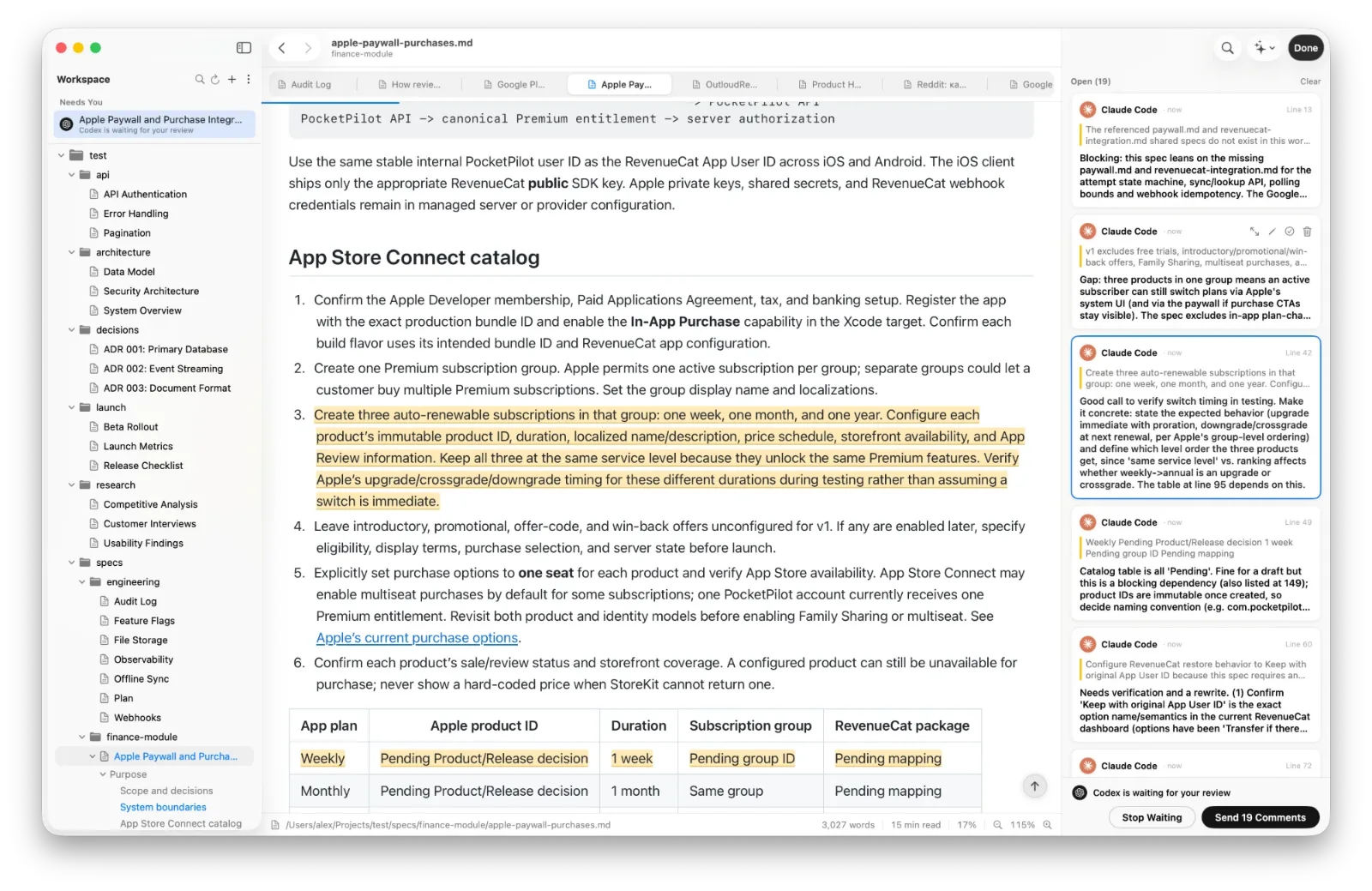
The Review panel: Open, In Review, Resolved
The Review button in the toolbar opens a panel on the right, with every comment on the file as a card. A card shows who left the comment, when, which line it sits on and the passage it is about. Click a card and the page scrolls to the passage.
| Section | What's in it |
|---|---|
| Open | Comments nobody has dealt with yet |
| In Review | Comments an agent says it fixed, waiting for you to accept or reopen them |
| Resolved | Done: accepted, or resolved by you |
Hover a card for its buttons: Expand, Edit, Resolve, Accept, Reopen and Delete. Resolve a comment yourself when it needs no change.
Write comments an agent can act on
Write a comment the way you would brief a colleague: say what is wrong and what you want instead. A precise note gets a precise fix.
"Too vague: name the three metrics and their thresholds."
That works better than "fix this". When you are ready, the Review panel gives you two ways to hand the comments over. If the agent sent you the file and waits, click Send. Otherwise copy the ready prompt with Copy and paste it to your agent. The next guide shows how to check what it did.
Comments from agents
Comments go both ways. Ask an agent to review a file in DotMD and it leaves its remarks on the lines they are about, instead of answering in the chat. They appear in the same panel under Open, with the agent's name and its own coloured dot, so you can tell Claude Code from Codex at a glance. You can edit, delete or resolve them before the writer sees anything. One agent reviews another shows the whole loop.
Where comments are kept
- In DotMD, not in the file. Your Markdown has no markers and no HTML comments, and other apps see the file as it was.
- On their passage. When lines are added above, the comment's line number moves with its text.
- With the file. Rename or move it in DotMD and the comments move too. Rename or move it in Finder or with
git mv, and they come back the first time you open the file at its new place. - For a month after the file is gone. The comments of a deleted file are removed about a month later, together with its version history.
Questions about comments in DotMD
Are comments saved in the .md file?
No. DotMD keeps them, so the file has no markers or HTML comments, and other apps see it as it was.
Can I comment without an agent?
Yes, as notes to yourself on a draft.
What happens if I rename or move the file?
Renamed in DotMD, the comments move with it. Renamed in Finder or git, they come back the first time you open the file at its new place.
Do I need DotMD Pro to comment?
Yes. Comments and reviews are part of DotMD Pro: Yearly with a 3-day free trial, or Lifetime. Reading is free.