 DotMD
DotMD
Open a .md file on your Macand read it like on GitHub.
A .md file is plain text with symbols in it. DotMD shows it as a finished page: headings, tables, highlighted code, Mermaid diagrams and math. Open a file, a folder, or press Space on a file in Finder.
macOS 14 or later. Reading is free; DotMD Pro has a 3-day free trial.
Quick answer
Open DotMD and drag a folder or a .md file onto it, or press ⌘O. The file is shown rendered: headings, tables, highlighted code, Mermaid diagrams and KaTeX formulas. In Finder, select a .md file and press Space for a Quick Look preview. Reading is free.
How to open Markdown files on a Mac
Double-click a .md file on a Mac and it usually opens as raw text, full of # and **. DotMD opens it as a page.
-
Open a file or a folder
Press ⌘O and choose a folder or a file, or drag one from Finder onto DotMD's window or its Dock icon. A folder becomes your workspace in the sidebar, and every file you open becomes a tab.
-
Make DotMD the default app for .md files
The first time DotMD starts while another app opens Markdown files, it asks Set DotMD as Default? Say Set as Default. You can do it later in Settings → General → Default App, or in Finder: select a .md file, press ⌘I, choose DotMD under Open with and click Change All….
-
Read it
The page is shown rendered like on GitHub. Select and copy text as on any web page, and press ⌘F to find text on the page.
The sidebar lists the folders and Markdown files you have added, with the outline of the open file under it. Pinned keeps the files you use often at the top, and Recent lists the last twenty you opened. Nothing is copied or moved: DotMD reads your files where they are.
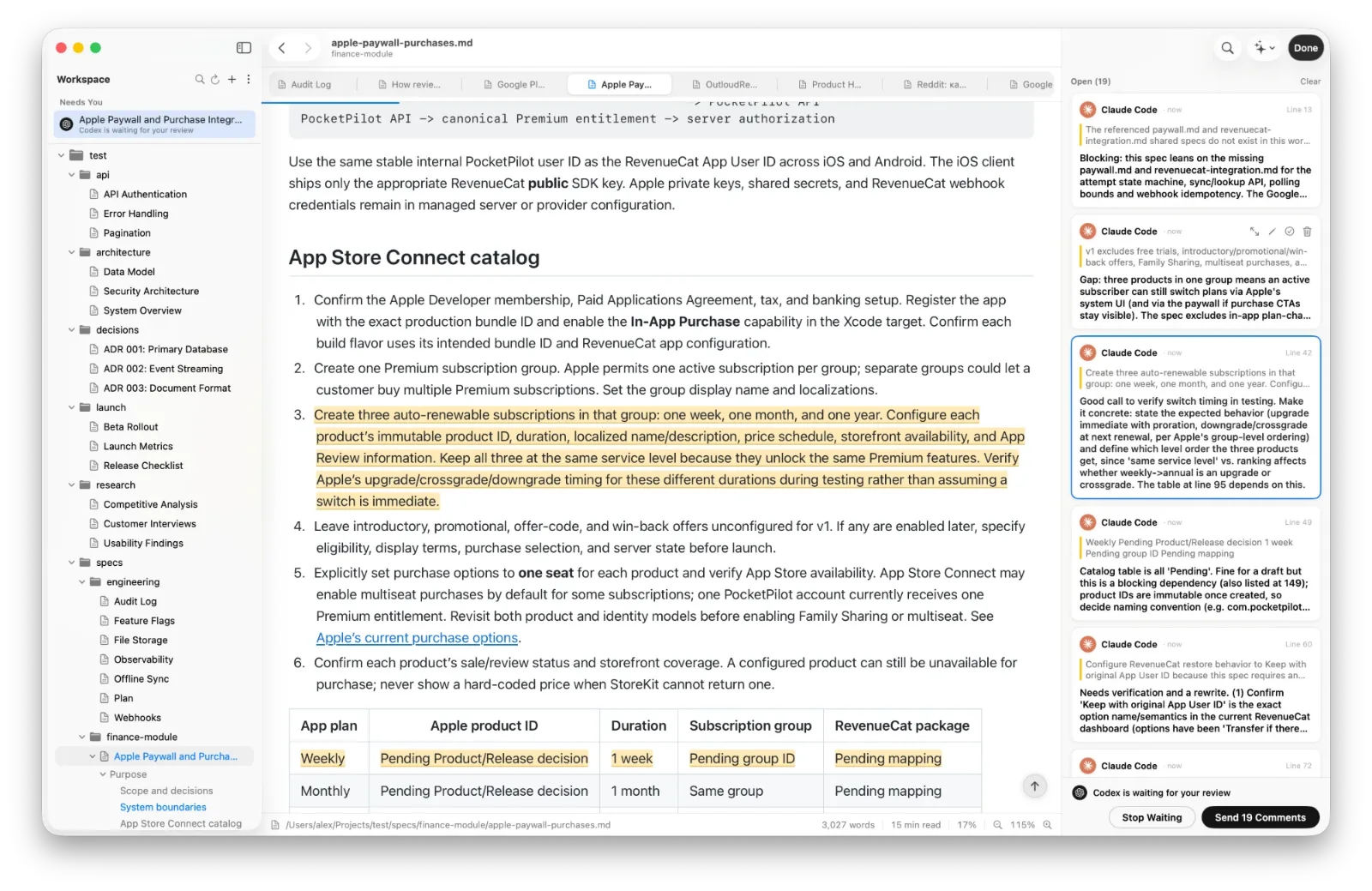
What renders: tables, code, Mermaid diagrams and math
- Text: headings, lists, task lists, quotes, links and images.
- Tables and code with syntax colours.
- Mermaid diagrams. A code block marked
mermaidis drawn as a diagram, in the light or dark theme to match the page. Click one to see it large, and pinch to zoom up to 8×. - KaTeX formulas.
$E = mc^2$inside a line, or$$ … $$on its own line. - Callouts such as
> [!NOTE], collapsible sections, and the properties block at the top of a file, shown as a card.
Diagrams and formulas are drawn on your Mac, so they work offline.
Make it comfortable to read
The Aa menu sets the font (System, Serif or Monospaced), the width, the line spacing and the theme: Automatic, Light, Sepia or Dark. For long texts, try Serif, Narrow, Relaxed and Sepia. The choice is remembered.
⌘= and ⌘- zoom in 10% steps. A thin blue line at the top and the percentage in the status bar show how far you have read, and the outline in the sidebar jumps to any heading. A link to another .md file opens it in DotMD.
Quick Look in Finder
Select a .md file in Finder and press Space. The preview looks like DotMD's reading mode, with tables, callouts, diagrams and formulas. It starts working after you have opened DotMD once.
Quick Look may only read the file itself, so images stored next to it show as a small placeholder; press Open with DotMD to see the page complete. If another app's preview shows up, check that DotMD is switched on in System Settings → General → Login Items & Extensions (macOS 15 and later) or System Settings → Privacy & Security → Extensions → Quick Look (macOS 14).
DotMD opens files ending in .md, .markdown, .mdown, .mkd, .mkdn, .mdx and .txt.
Questions about reading Markdown on a Mac
Is DotMD free for reading?
Yes. Reading any Markdown, folders, tabs and Quick Look are free, forever.
How do I make .md files open in DotMD?
Select one in Finder, press ⌘I, choose DotMD under Open with and click Change All….
Do diagrams and formulas work offline?
Yes. Mermaid diagrams and KaTeX formulas are drawn on your Mac.
Which macOS do I need?
macOS 14 or later.